Submitting video assignments
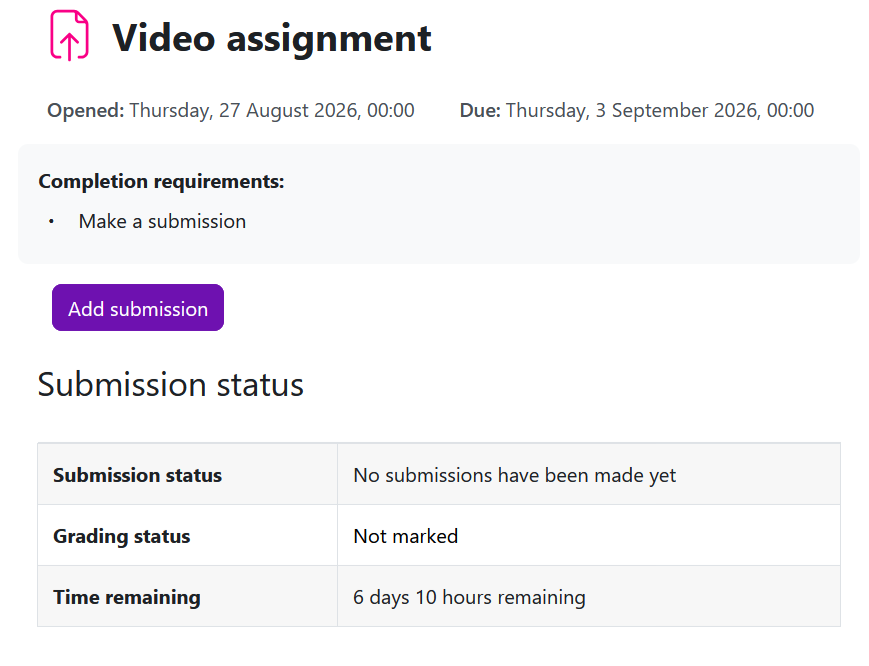
An example of assignment submission
Overview:
This guide will show you how to submit video assignments.
What to know:
The Learning Mall system allows students to submit videos as assignment files
Table of Contents
Step 1: Find the Assignment activity
Click onto an Assignment activity.

Step 2: Click the 'Add submission' button
In the following page, click the 'Add submission' button to edit/add the submission.
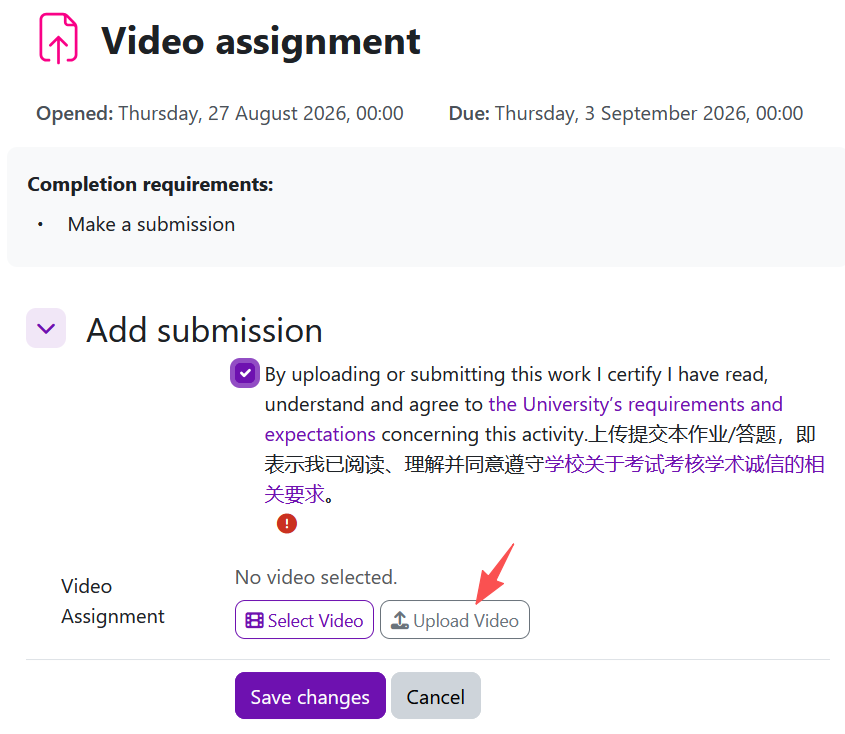
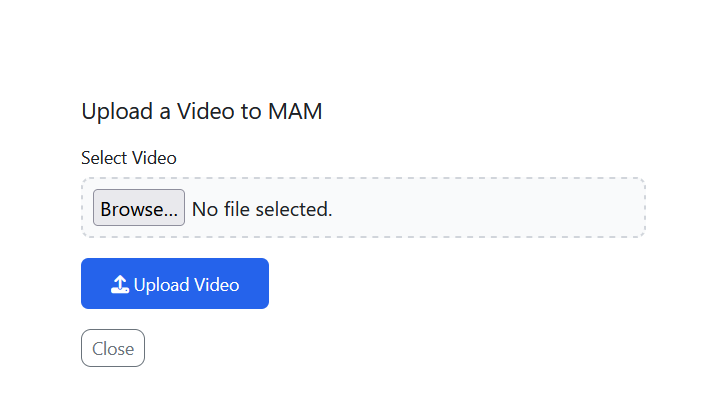
Step 3: Upload video
Click the Upload Video button in the Video Assignment area.
*You can also click Select Video to choose a video if you have already uploaded one in the Media Asset Management System (MAM) https://media.xjtlu.edu.cn/.
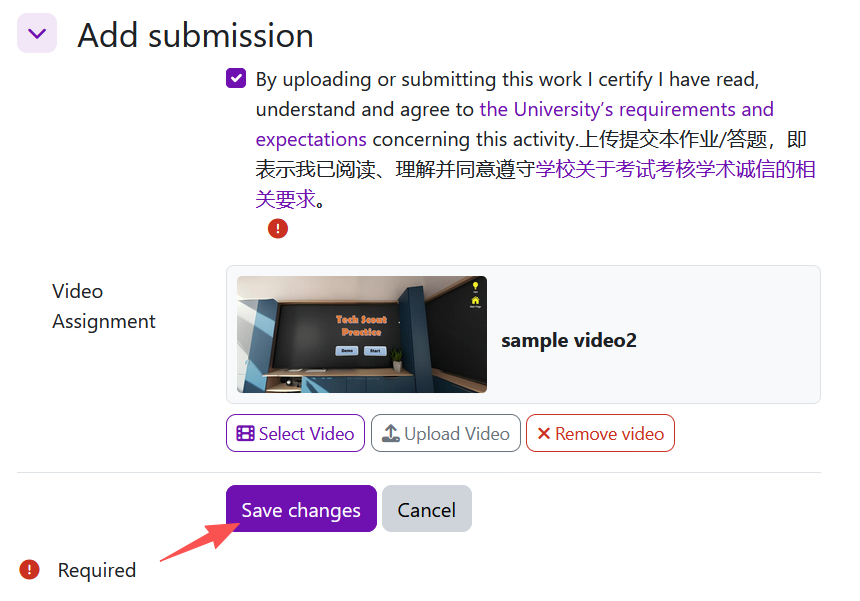
Step 4: Save changes
Click Save Changes to complete the video assignment submission.
Article Number: 426
Author: Thu, Aug 27, 2026
Last Updated: Wed, Sep 9, 2026
Author: Knowledge Base Administrator
Online URL: https://knowledgebase.xjtlu.edu.cn/article/submitting-video-assignments-426.html