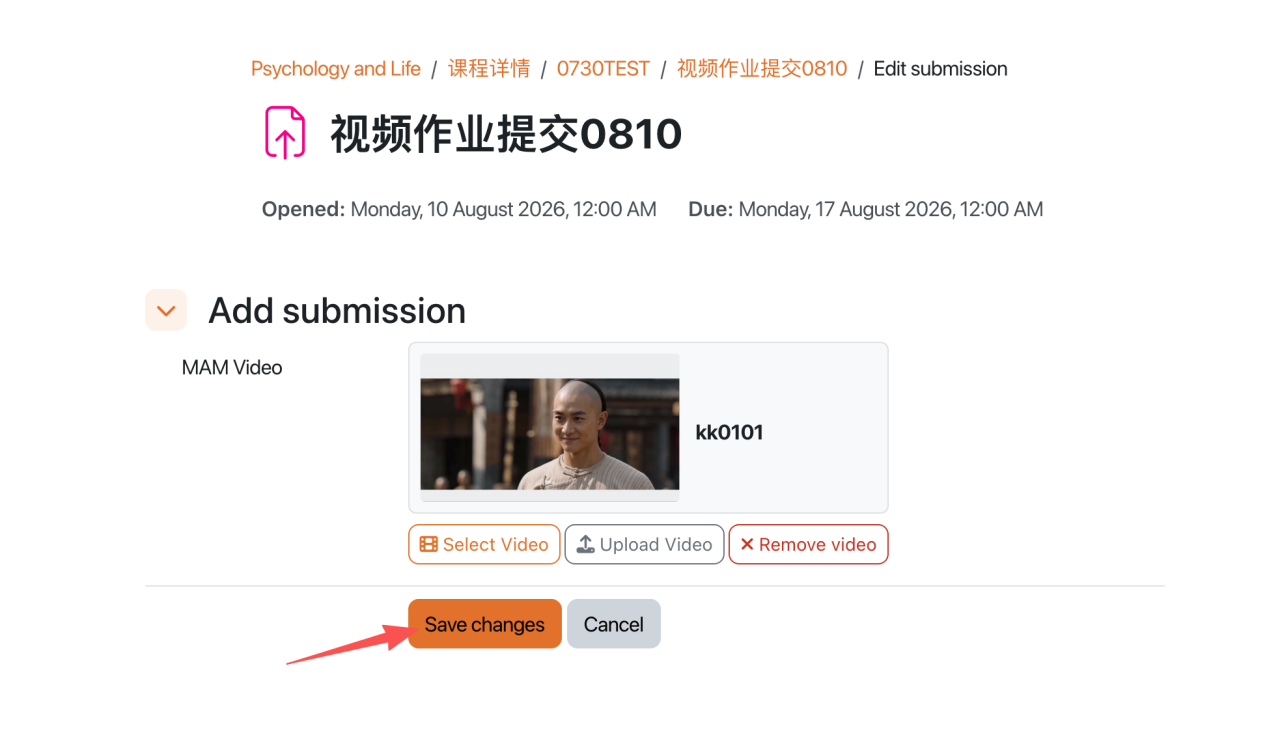
Submiting video assignments
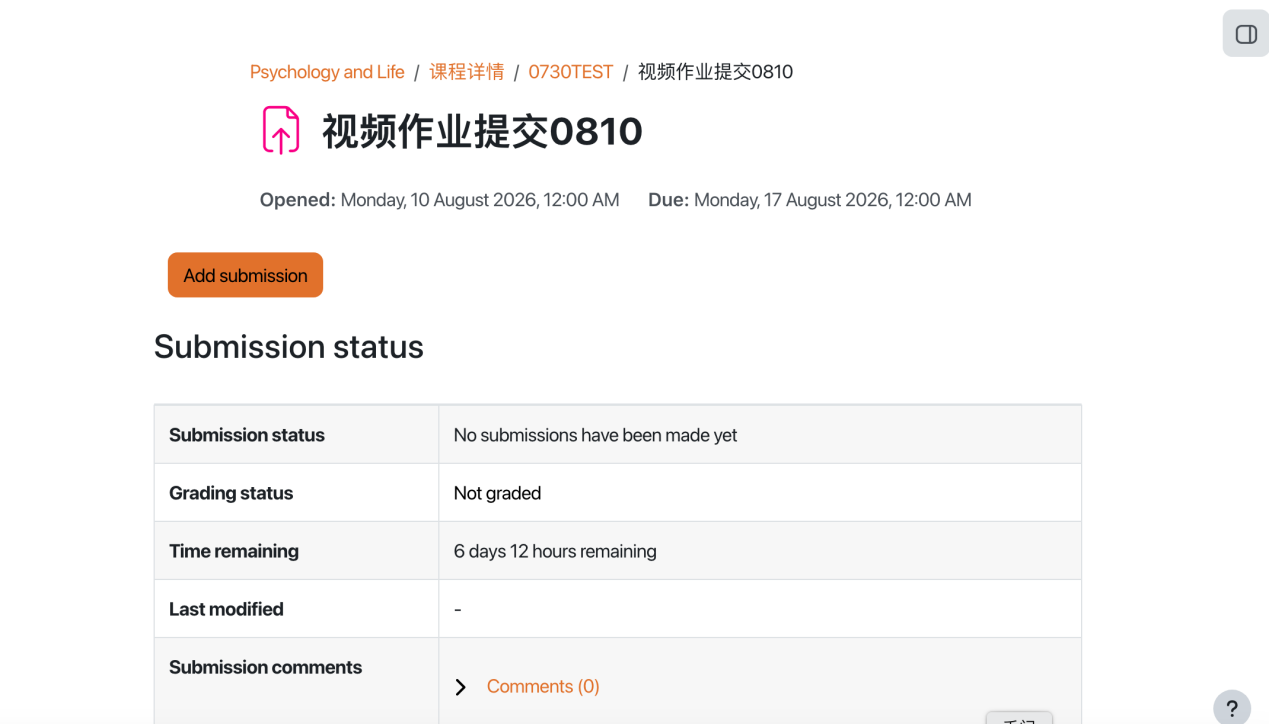
An example of assignment submission
Overview:
This guide will show you how to submit video assignments.
What to know:
The Learning Mall system allows students to submit videos as assignment files
Table of Contents
Step 1: Find the Assignment activity
Click onto an Assignment activity.

Step 2: Click the 'Add submission' button
In the following page, click the 'Add submission' button to edit/add the submission.
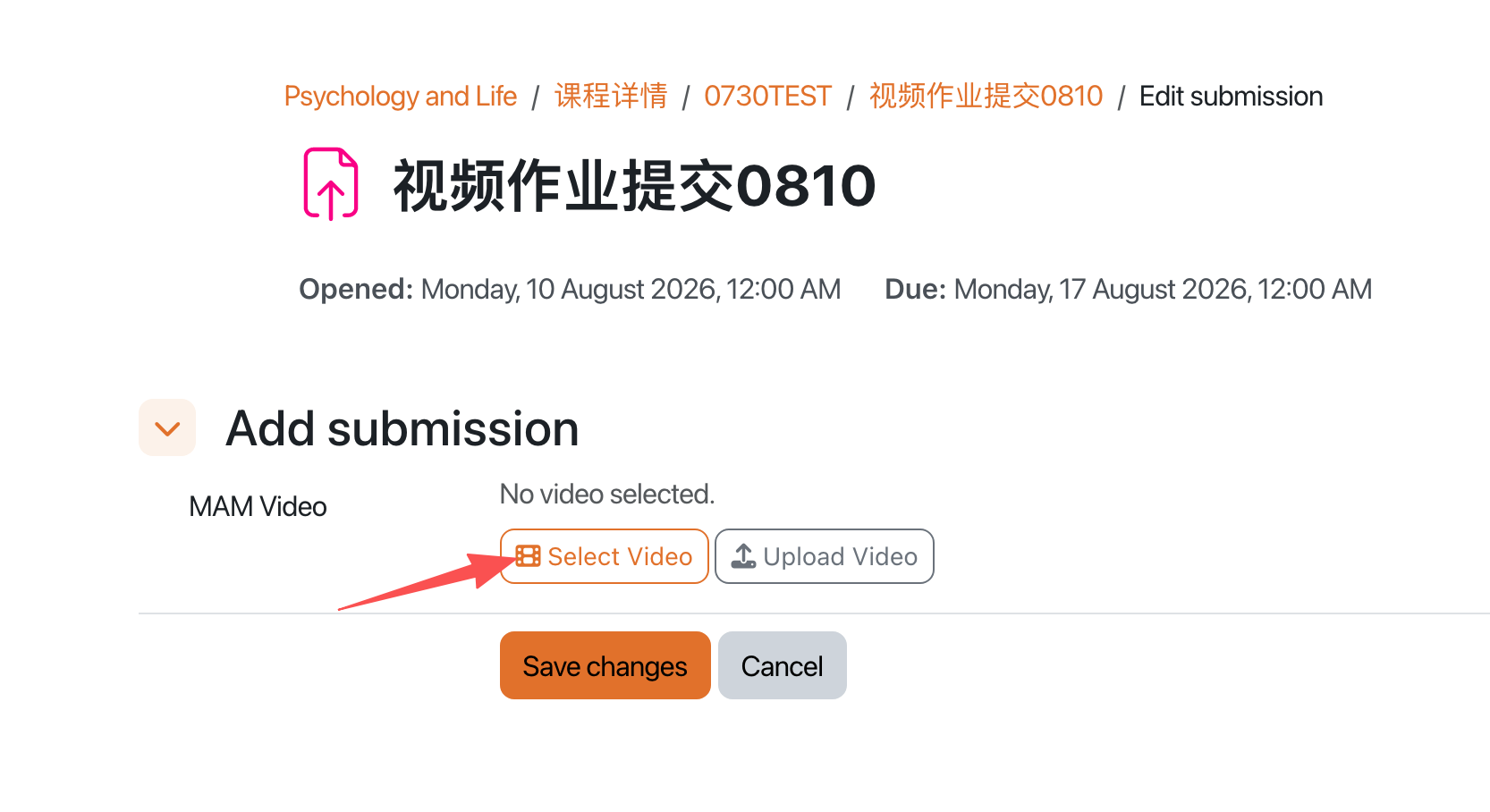
Step 3: Select video
- Click the Select Video button under the (Media Asset Management System) MAM Video submission section.
- Browse or search your personal MAM asset library to locate the video intended for assignment submission, and select it.
Step 4: Save changes
Click Save Changes to complete the video assignment submission.